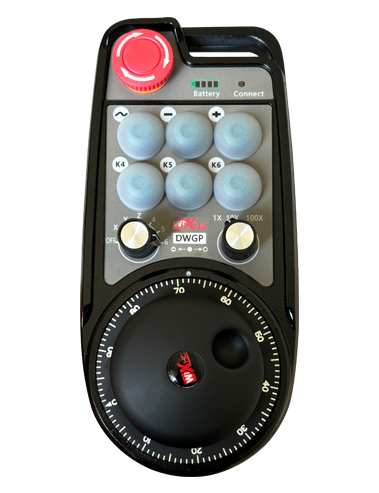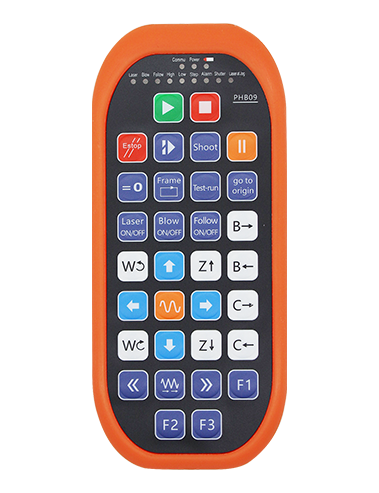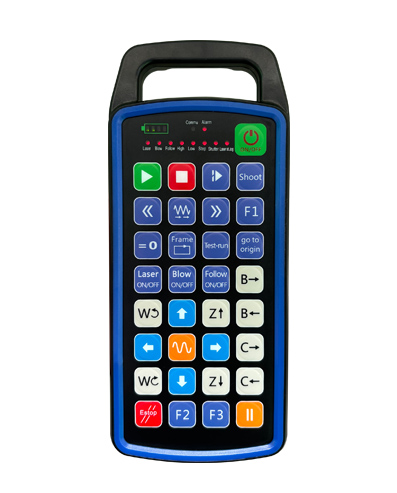
Dəstək vermək 32 Xüsusi düymə proqramlaşdırma
Dəstək vermək 9 custom LED light display programming
433mhz simsiz rabitə texnologiyasından istifadə, Simsiz əməliyyat
məsafədir 80 metr

£300.00
Dəstək vermək 32 Xüsusi düymə proqramlaşdırma
Dəstək vermək 9 custom LED light display programming
433mhz simsiz rabitə texnologiyasından istifadə, Simsiz əməliyyat
məsafədir 80 metr
1.Məhsul təqdimatı
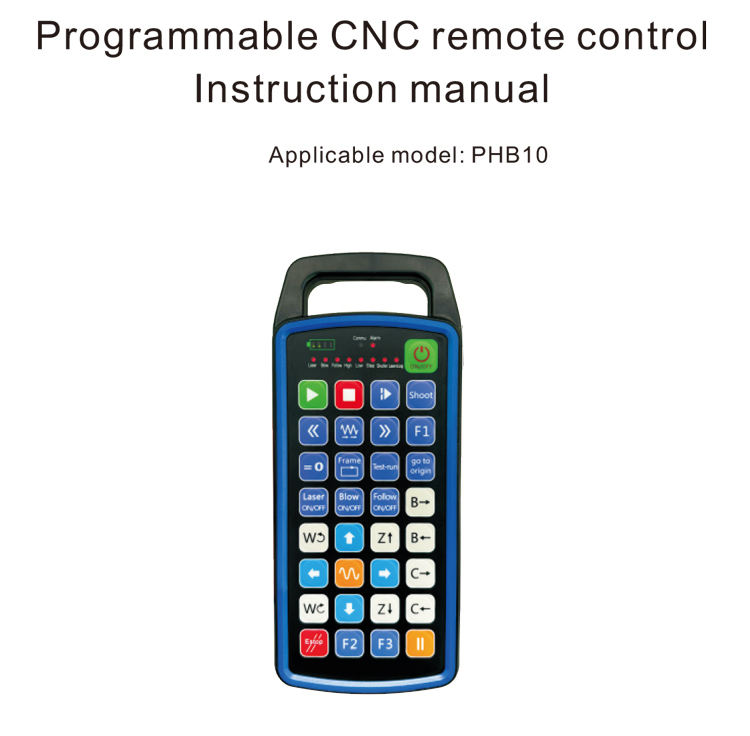
The programmable CNC remote control PHB10 is suitable for wireless
Müxtəlif CNC sistemlərinin uzaqdan idarəetmə əməliyyatı. It supports user-defined
programming to develop button functions, and realize remote control of various
functions on the CNC system; it supports user-defined programming to develop
LED lights to light up and turn off, and realize dynamic display of system status;
the remote control comes with a rechargeable battery and supports Type-C
interface charging.
2.Məhsul xüsusiyyətləri
1. 433mhz simsiz rabitə texnologiyasından istifadə, Simsiz əməliyyat
məsafədir 80 metr;
2.Avtomatik tezlikli hoppansiya funksiyasından istifadə, 32 Simsiz ucqar dəsti
Nəzarətçilər bir-birlərinə təsir etmədən eyni zamanda istifadə edilə bilər;
3.Dəstək vermək 32 Xüsusi düymə proqramlaşdırma;
4.Dəstək vermək 9 custom LED light display programming;
5.Support IP67 waterproof level;
6.Support standard Type-C interface charging; 5V-2A şarj spesifikasiyası;
1100 mAh large capacity battery, with automatic sleep standby function; realize
ultra-long low power standby;
7.Support real-time display of power.
3.İş prinsipi
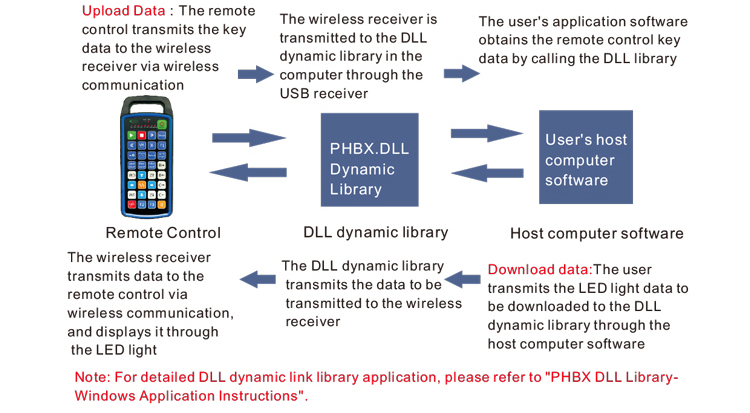
4. Məhsul xüsusiyyətləri
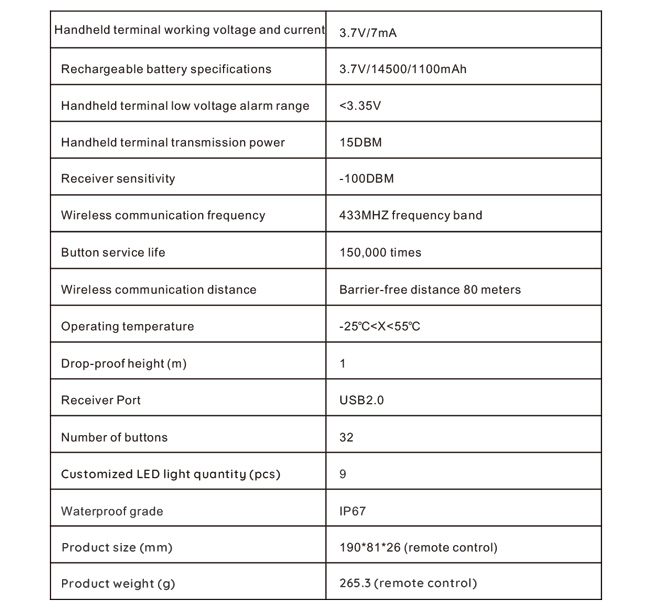
5.Məhsul funksiyası Giriş
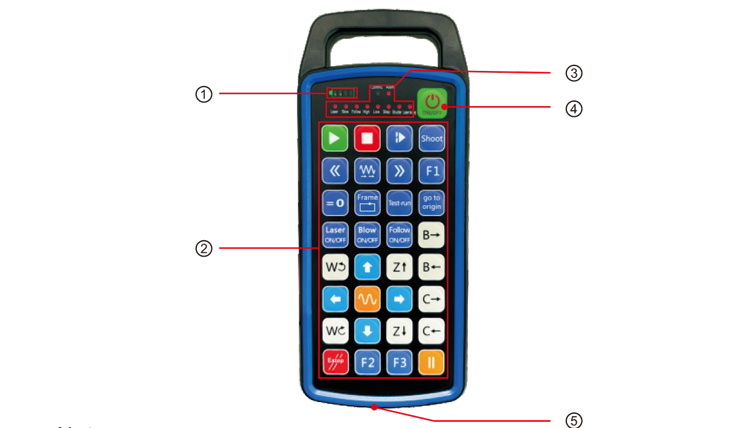
Qeydlər:
①Battery level display:
Lights up after power on, turns off after power off;
If the battery indicator light is only one bar and keeps flashing, it means the
battery is too low. Please replace the battery;
If the battery indicator lights are all on and the other LED lights flash back and
forth, it means the battery is very low. Please replace the battery;
If the battery indicator does not light up or go out, and the device cannot be
started by pressing and holding the power button, please replace the battery;
②Button area:32 buttons arranged in 4X8, İstifadəçi tərəfindən təyin edilmiş proqramlaşdırma;
③Status LED:
COMMU: Button indicator light, lights up when the button is pressed and goes
out when the button is released; other lights are custom displays;
④Power switch:
Long press for 3 seconds to turn on, long press for 3 seconds to turn off;
⑤Charging port:
Use Type-C charger to charge, doldurma gərginliyi 5v, cari 1a-2a; charging
time 3-5 sair;
When charging, the power indicator flashes, indicating that it is charging. When
fully charged, the power indicator will show full bar without flashing.
6.Məhsul aksesuarları Diaqramı
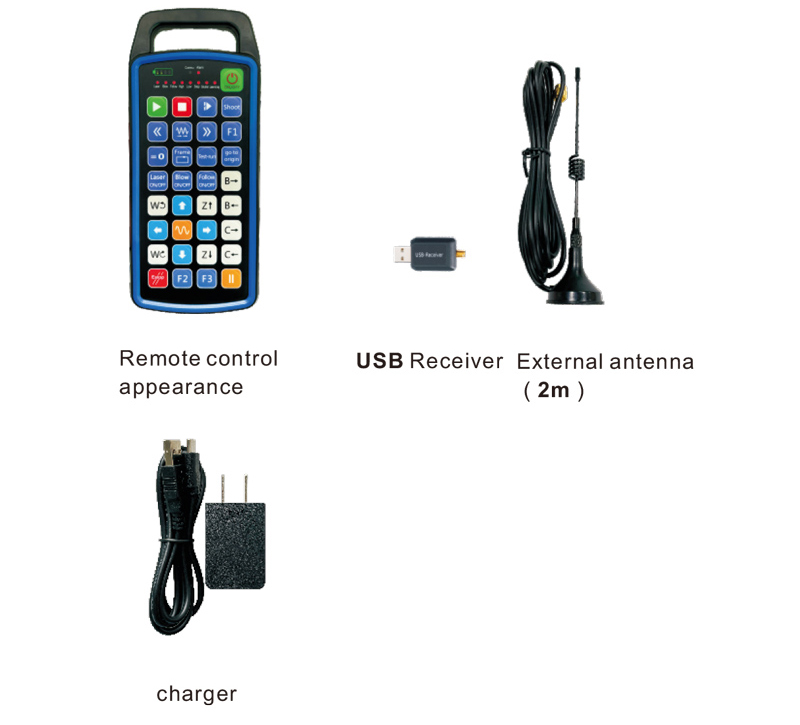
7.Məhsulun quraşdırılması təlimatı
1 . I nsert the USB receiver into the computer, Kompüter avtomatik olaraq olacaq
recognize and install the USB device driver without manual
2. Uzaqdan idarəetməni şarj cihazına daxil edin. Batareya tam doldurulduqdan sonra, press
and hold the power button for 3 seconds. The remote control will turn on and the power
indicator will light up, indicating that the power-on is successful.
3. Gücləndirdikdən sonra, Hər hansı bir düyməni işləyə bilərsiniz. The remote control
can support dual button operation at the same time. Hər hansı bir düyməni basdığınız zaman, bu
COMMU light on the remote control will light up, indicating that this button is valid.
8.Məhsul Əməliyyat Təlimatları
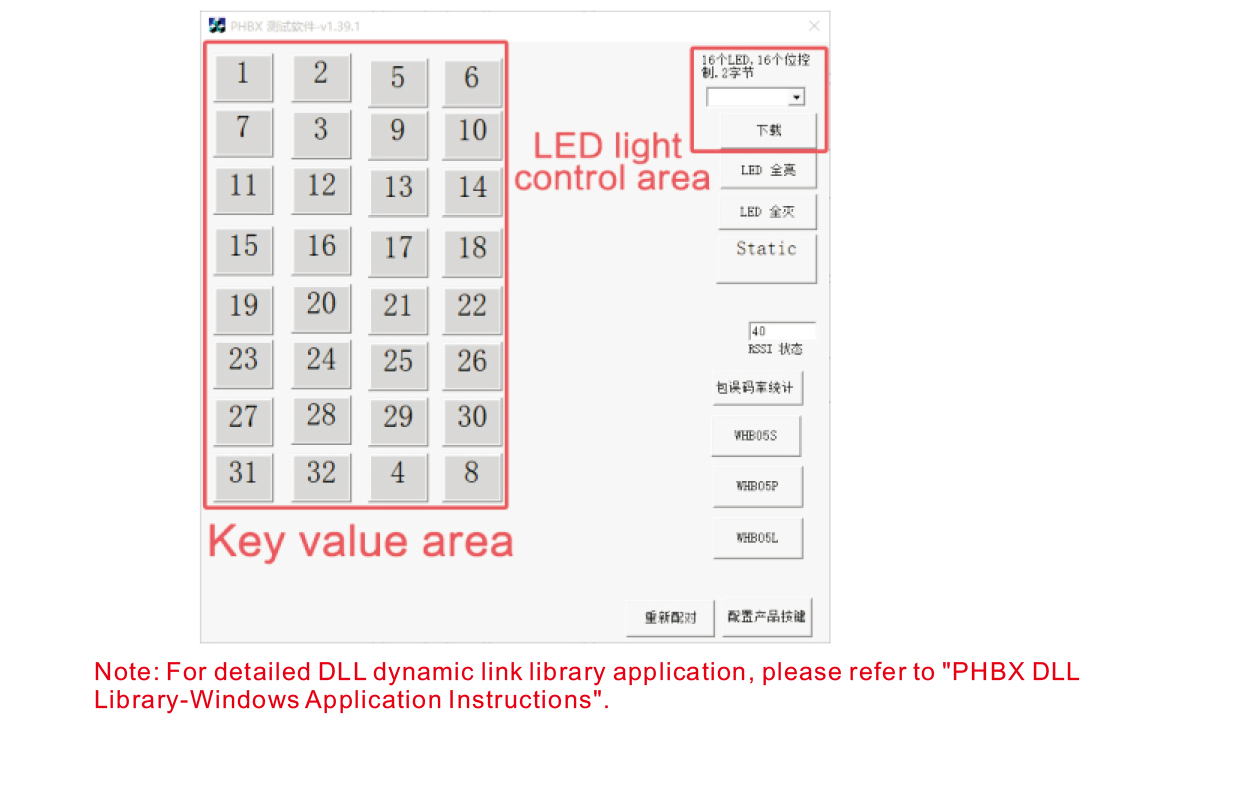
Məhsulun inkişafı və istifadəsindən əvvəl, you can use the demo software we provide to
test the buttons on the remote control and the LED light on the remote control. You can
also use the demo as a reference routine for future programming development.
Demo proqramını istifadə etməzdən əvvəl, Zəhmət olmasa USB qəbuledicisini kompüterə qoşun,
make sure the remote controller has sufficient power, press and hold the power button to t
urn it on, sonra istifadə edin;
Uzaqdan idarə olunan hər hansı bir düymə basıldığında, the test software demo will display
the corresponding key value. Sərbəst buraxdıqdan sonra, Açar dəyər displeyi yox olur,
indicating that the key upload is normal;
You can also select the LED light number on the test software demo, click download,
and the corresponding light number on the remote control will light up, indicating that the
LED light is downloading normally.
9.Məhsul problemlərinin aradan qaldırılması
10. Təmir və qayğı
1. Zəhmət olmasa, normal temperatur və təzyiq olan quru bir mühitdə istifadə edin
Xidmət həyatı;
2. Açarın xidmət həyatını genişləndirmək üçün əsas sahəyə toxunmaq üçün kəskin əşyalardan istifadə etməyin;
3. Zəhmət olmasa açar geyimi azaltmaq üçün əsas sahəni təmiz saxlayın;
4. Uzaqdan idarəetməyə ziyan vurmaq üçün sıxmaq və düşməkdən çəkinin;
5. Uzun müddət istifadə olunmasa, please remove the battery and store the remote control
and battery in a clean and safe place;
6. Saxlama və nəqliyyat zamanı nəmli-sübuta diqqət yetirin.
11.Təhlükəsizlik haqqında məlumat
1. Zəhmət olmasa istifadə etməzdən əvvəl təlimatları diqqətlə oxuyun. Non-professionals are prohibited from
operating.
2. Please use the original charger or a charger produced by a regular manufacturer with the
same specifications.
3. Please charge in time to avoid incorrect operation due to insufficient power causing the
remote control to be unresponsive.
4. Təmir tələb olunarsa, Zəhmət olmasa istehsalçıya müraciət edin. If the damage is caused by self-repair,
İstehsalçı zəmanət verməyəcək.